
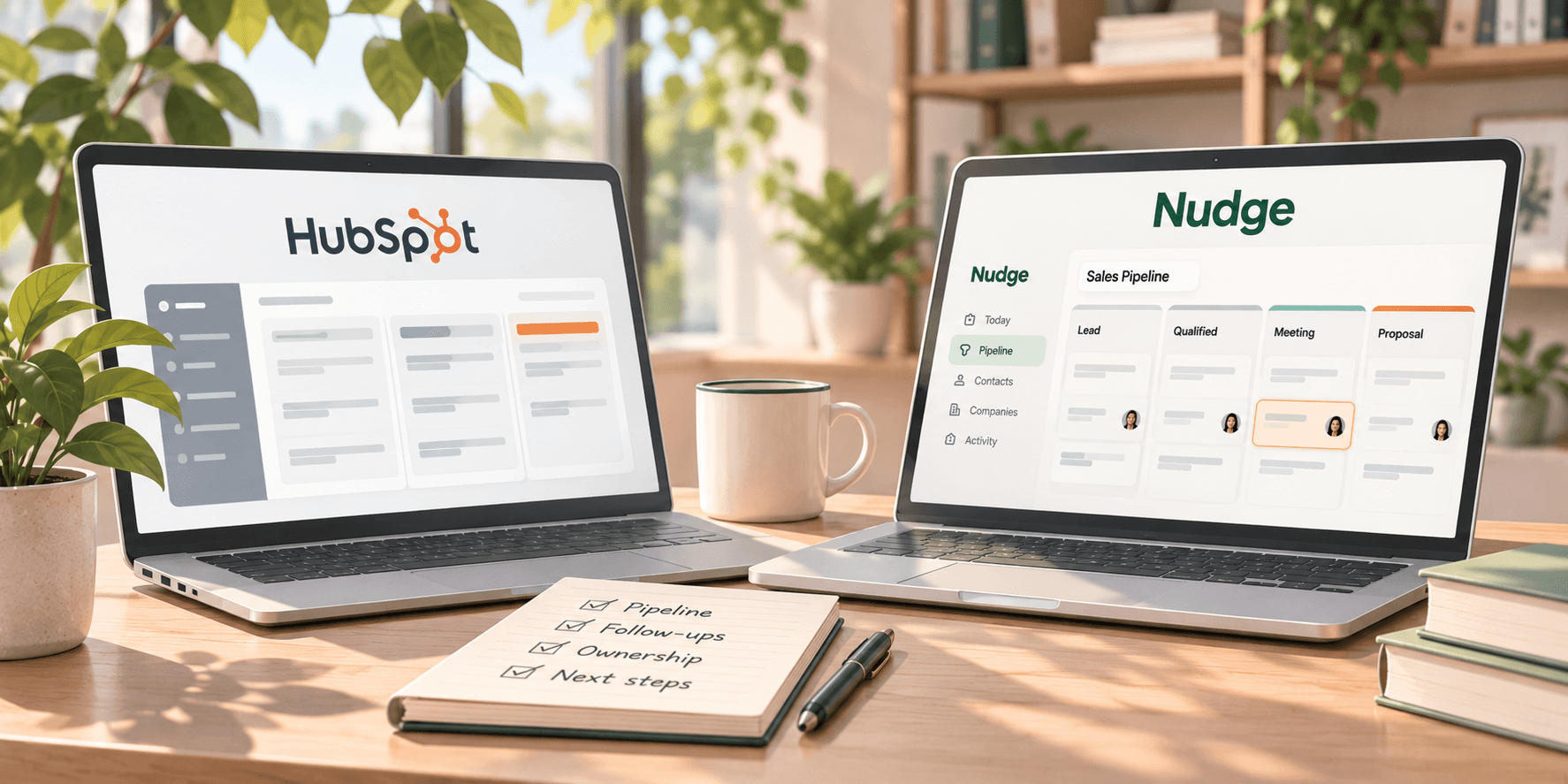
Choosing a CRM for a small sales team is not just about finding the platform with the most features.
It is about finding a system your team will actually use to manage relationships, follow up with prospects, and move opportunities forward.
That is where the comparison between HubSpot and Nudge becomes interesting.
HubSpot offers a broad customer platform that brings sales, marketing, customer service, and other business tools together.
Nudge takes a more focused approach. It is built around the sales activities that need to happen next, with clear ownership and due dates attached to active deals.
Both can help small teams manage their sales pipeline.
But they are designed around different priorities.
If you are comparing HubSpot vs Nudge, the right choice depends on what your team needs from a CRM today and how you expect that process to evolve.
HubSpot vs Nudge: the main difference
HubSpot is a customer platform with CRM capabilities at its center.
Its free CRM includes contact management, deal tracking, tasks, pipeline management, reporting dashboards, and a range of sales and marketing tools.
Businesses can expand into more advanced capabilities through HubSpot's paid products, including Sales Hub, Marketing Hub, and Service Hub.
Nudge is an action-first CRM designed around a narrower sales workflow.
Its core principle is that every active deal needs three things:
An owner. A next action. A due date.
Instead of making next-step planning something salespeople are encouraged to do, Nudge builds those requirements into the deal workflow.
That difference is worth understanding.
HubSpot provides a broad set of tools for managing customer relationships across business functions.
Nudge concentrates on making sales responsibilities and follow-ups explicit.
Neither approach is automatically better.
The question is which one solves your team's most important problems.
HubSpot vs Nudge: feature comparison
Here is how the two platforms compare across several areas that matter to small sales teams.
| Feature | HubSpot | Nudge | | --- | --- | --- | | Primary focus | Broad customer platform covering sales, marketing, and service | Action-first sales CRM focused on follow-through | | Contact management | Yes | Yes | | Deal and pipeline management | Yes | Yes | | Tasks and follow-ups | Tasks, activities, and additional automation depending on plan | Required next action and due date on active deals | | Deal ownership | Supports assigning deal owners | Owner required as part of the deal workflow | | Daily task visibility | Task management and activity tools | Today list for overdue, due-today, and upcoming work | | Activity history | Contact and deal activity records | Activity timeline for calls, emails, meetings, and notes | | Email capabilities | Email tracking, templates, scheduling, and other tools depending on plan | Email capture through a workspace dropbox | | Reporting | Dashboards and reporting, with more advanced options on paid plans | Pipeline visibility and filters | | Custom fields | Custom CRM properties | Custom fields on Premium | | Multiple pipelines | Availability and limits depend on plan | One shared pipeline on Base; multiple shared and private pipelines on Premium | | Marketing tools | Email marketing, forms, landing pages, and more | Not positioned as a marketing platform | | Free plan | Yes, with limits | No permanent free plan; 14-day trial |
The most important distinction is not the number of features.
It is how each product approaches the work that happens after an opportunity enters the pipeline.
1. Sales pipeline management: flexibility vs built-in accountability
Both HubSpot and Nudge let teams organize opportunities into pipeline stages.
HubSpot supports deal pipelines, ownership, tasks, and reporting. Depending on the plan, teams can also use more advanced automation and sales management capabilities.
That flexibility can be valuable for businesses with established processes or more complex requirements.
Nudge approaches pipeline management differently.
Every active deal is structured around an owner, a next action, and a due date.
For example:
Deal: Acme Co.
Stage: Proposal
Owner: Alex
Next action: Call Sarah about revised pricing
Due date: Friday
This structure makes it clear who is responsible and what should happen next.
In a small team, that can be particularly useful.
The founder might still be involved in sales. One salesperson may manage dozens of relationships. Another might be responsible for following up on proposals.
The challenge is not necessarily understanding which stage an opportunity is in.
It is making sure someone takes responsibility for the next move.
Which is better?
HubSpot may be a better fit when you need flexible sales processes, reporting, and automation alongside other customer-facing functions.
Nudge may be a better fit when your main priority is making ownership and next actions unavoidable parts of the sales workflow.
2. Follow-up management: how do the two CRMs compare?
Small teams often struggle with follow-ups for reasons that have little to do with their ability to sell.
A salesperson has a good meeting but forgets to schedule the next conversation.
A proposal is sent, but nobody agrees on when to check back.
A founder assumes a salesperson is handling an opportunity, while the salesperson assumes the founder is still responsible.
These problems are easy to miss until a prospect goes quiet.
HubSpot includes task management, activity tracking, and reminders. More advanced automation is available through paid plans.
That means HubSpot can support structured follow-up processes.
Nudge makes the next action central to how deals are managed.
The Today list brings together overdue, due-today, and upcoming work, giving salespeople a direct view of what needs attention.
The difference is not that one CRM supports follow-ups and the other does not.
Both do.
The distinction is how strongly the workflow centers on making the next action explicit.
A practical example
Imagine a salesperson finishes a product demonstration.
The prospect asks for a revised proposal.
In either CRM, the salesperson can record the conversation and manage the follow-up.
With Nudge, the deal workflow requires a defined next action and due date.
For example:
Next action: Send revised proposal
Due: Thursday
Once that action is completed, the next step can be updated.
The intention is to prevent an active opportunity from becoming just another record sitting in a pipeline.
Which is better?
If your team needs a broad selection of sales productivity tools and automation options, HubSpot is worth evaluating.
If the biggest problem is inconsistent follow-through, Nudge's action-first structure may be a more direct fit.
3. Contact management and relationship history
A CRM needs to do more than track deals.
Your team also needs to understand the people and companies involved.
HubSpot provides contact and company records, communication history, activity tracking, and a broad range of tools for managing customer relationships.
Because HubSpot also offers marketing and service products, it can support customer information across several business functions.
Nudge organizes information around Businesses, Contacts, Deals, and Activities.
Its activity timeline keeps calls, emails, meetings, and notes connected to relevant records.
Nudge also supports email capture through a workspace dropbox.
Users can CC or BCC the workspace address on relevant emails so those messages are logged against the appropriate contact.
This can help a small sales team preserve relationship context without relying entirely on individual inboxes.
Which is better?
HubSpot has the advantage if you want a broader customer platform connecting sales with marketing and service.
Nudge may be sufficient if your main requirement is keeping sales relationships, conversations, and opportunities organized around the next action.
4. Reporting and pipeline visibility
Reporting is another area where the products have different strengths.
HubSpot includes reporting dashboards in its free CRM and offers more advanced reporting and forecasting capabilities through paid plans.
For teams that need detailed sales analytics, forecasting, or reporting across multiple business functions, that can be an important advantage.
Nudge focuses more directly on operational pipeline visibility.
Teams can review opportunities and filter the pipeline using information such as owner, stage, and due date.
The Today list also makes outstanding work visible.
That helps answer questions such as:
- Which actions are overdue?
- What does each salesperson need to do today?
- Which opportunities belong to each owner?
- What is currently in each pipeline stage?
These are practical questions for a founder or sales manager reviewing a small pipeline.
However, Nudge should not be treated as a direct replacement for HubSpot's advanced analytics and forecasting capabilities.
Which is better?
Choose HubSpot if sophisticated reporting and forecasting are important requirements.
Consider Nudge if your immediate priority is visibility into ownership, outstanding actions, and the current state of the sales pipeline.
5. HubSpot vs Nudge pricing
Pricing matters when a small team is deciding whether a CRM is worth adopting.
But the cheapest starting price does not necessarily tell you which product will cost less over time.
You need to consider the features your team requires, the number of users, and the plan needed to support your workflow.
HubSpot pricing
HubSpot offers a free CRM for up to two users.
That is a meaningful advantage for teams that want to start without paying for a subscription.
Its paid options include Starter, Professional, and Enterprise products.
As of November 2026, HubSpot's public Sales Hub pricing page advertises:
- Free: $0 per month, up to two users
- Starter: Promotional pricing starting at $7 per seat/month, with a $20 per seat/month standard price shown
- Professional: Starting at $90 per seat/month with an annual commitment, or $100 per seat/month on the displayed alternative billing option
- Enterprise: Starting at $150 per seat/month
HubSpot also lists required one-time onboarding fees for Sales Hub Professional and Enterprise.
Pricing, promotions, billing commitments, and feature availability can vary. Always check the current plan details before purchasing.
Nudge pricing
Nudge offers two paid plans.
Base: $5/month or $50/year
Includes:
- One shared pipeline
- Up to 50 contacts
- Up to 50 businesses
- Up to 100 deals
- Activity timeline
- Email dropbox with 100 emails per month
- Comments and attachments
- CSV import
Premium: $20/month or $200/year
Includes:
- Multiple shared and private pipelines
- Up to 5,000 contacts
- Up to 5,000 businesses
- Up to 25,000 deals
- Custom fields
- AI-powered CSV/XLSX import
- CRM imports from Pipedrive, Zoho, and OnePageCRM
- Email dropbox with 1,000 emails per month
- Activity timeline, comments, and attachments
Each Nudge plan includes one user. Additional users cost $5 per user/month.
Nudge also offers a 14-day free trial without requiring a credit card.
What does this mean for a small team?
HubSpot's free plan may be the most economical starting point for a team of one or two people whose needs fit within its limits.
Nudge Base has a low starting price, but its record limits matter. A team with more than 50 contacts or 100 deals will need to evaluate Premium.
Nudge Premium may be attractive to teams that need multiple pipelines, custom fields, and a follow-through-focused workflow.
HubSpot's higher-tier plans cost more but also provide capabilities Nudge is not designed to replace.
The right comparison is between the plans that meet your requirements, not simply the lowest advertised prices.
6. Setup and moving your existing data
Changing CRMs involves more than selecting a subscription.
You also need to think about existing contacts, companies, deals, and activity history.
HubSpot supports CRM data imports and offers a wide range of integrations.
Its broader platform can also be useful when businesses want to connect CRM data with other tools and departments.
Nudge supports CSV imports on Base.
Premium adds AI-powered CSV and XLSX imports, including multi-sheet workbooks, field mapping suggestions, duplicate review, and undo functionality.
Premium also supports importing from Pipedrive, Zoho CRM, and OnePageCRM.
If you are considering moving specifically from HubSpot to Nudge, there is an important distinction:
Nudge does not currently list a dedicated HubSpot import connector among its supported CRM imports.
That does not mean a move is impossible.
It means you should evaluate a CSV-based migration and confirm how your existing data will map before making the switch.
Do not assume every HubSpot feature, association, or historical record will transfer automatically.
A practical migration checklist
Before switching CRMs:
- Export a sample of your existing data.
- Identify the contacts, companies, deals, and activities you need.
- Review any custom properties or fields you currently use.
- Check whether your chosen Nudge plan supports the required records and fields.
- Test the import with a small sample.
- Review the imported data before moving your full sales process.
- Confirm that active deals have owners, next actions, and due dates.
The most important part of migration is not simply transferring records.
It is making sure the new CRM supports the workflow your team needs.
7. Which CRM makes more sense for different types of small teams?
There is no single answer for every small business.
The decision becomes easier when you look at how the team actually works.
A founder managing sales personally
A founder may need a place to track contacts, opportunities, conversations, and follow-ups.
If they also want marketing forms, email campaigns, and other customer tools, HubSpot's free CRM may be an attractive starting point.
If the main challenge is keeping every active opportunity connected to a clear next action, Nudge may be a better match.
A small sales team with inconsistent follow-ups
Imagine a team of three salespeople.
They have enough opportunities to need a shared pipeline, but they do not have a dedicated sales operations person.
Their biggest problem is not generating reports.
It is knowing which opportunities need attention and who is responsible.
Nudge's required owner, next action, and due date structure is particularly relevant here.
HubSpot can also support task management and accountability, but the team should evaluate how much configuration and process discipline its chosen setup requires.
A growing business with sales and marketing teams
A business investing in lead generation, email marketing, landing pages, customer service, and sales reporting may benefit from keeping those functions within one platform.
That is where HubSpot's broader product offering becomes valuable.
Nudge is not intended to replace a full marketing and customer service platform.
An agency or consultancy managing relationships
Agencies and consultancies often manage several types of opportunities.
They may have new business prospects, existing clients, partnerships, and recurring commercial conversations.
Nudge can support these workflows through its pipeline and relationship management features.
Premium supports multiple shared and private pipelines, which can be useful when different workflows need separate views.
HubSpot may be more appropriate when the business also needs extensive integrations, automation, and reporting across departments.
When HubSpot is probably the better choice
HubSpot deserves serious consideration if:
- You want a free CRM for one or two users
- You need marketing and sales tools within the same platform
- You want to connect sales with customer service
- You rely on a broad integration ecosystem
- Advanced reporting and forecasting are important
- You need more sophisticated automation as your business grows
- Your team is prepared to evaluate the relevant paid plans and feature limits
HubSpot's breadth is a real advantage for businesses that intend to use it.
The question is whether your team needs that breadth now.
When Nudge may be the better choice
Nudge is worth considering if:
- Your main focus is managing sales relationships and opportunities
- You want every active deal to have a defined owner
- You want next actions and due dates built into the deal workflow
- You need a clear view of overdue and upcoming work
- You want shared visibility into the pipeline
- You do not need a full marketing automation platform
- You prefer to evaluate a CRM specifically around follow-through and accountability
Nudge's narrower focus is intentional.
It is designed to help small teams keep sales opportunities moving rather than provide every tool a growing business might eventually need.
How to decide between HubSpot and Nudge
Before choosing either CRM, take five active opportunities from your current pipeline.
For each one, ask:
1. Can we see who owns the deal?
Ownership should be clear without asking another team member.
2. Can we identify the next action?
The CRM should help you understand what needs to happen, not just what happened previously.
3. Is there a due date?
You should be able to tell when the opportunity needs attention again.
4. Can we see the relevant relationship history?
Someone else on the team should be able to understand the context if the usual owner is unavailable.
5. Can we review the pipeline without reconstructing it?
A manager should be able to identify opportunities that need attention without asking everyone for a separate status update.
Then consider the broader requirements.
Do you need marketing automation?
Do you need advanced forecasting?
Do you need specific integrations?
How many users and records will you have?
Which features are included in the plan you can realistically afford?
These questions will tell you more than comparing feature counts alone.
HubSpot vs Nudge: the final verdict
HubSpot and Nudge are both legitimate options for small sales teams, but they solve different versions of the CRM problem.
HubSpot makes sense when your business needs a broader customer platform.
Its free CRM, sales tools, marketing capabilities, integrations, and advanced paid options give teams room to manage more than the sales pipeline.
Nudge makes sense when your biggest priority is consistent sales follow-through.
Its action-first model requires every active deal to have an owner, a next action, and a due date.
That creates a clear structure for teams that want to know what needs attention without constantly checking in on each other.
The choice is not about whether a broad CRM or a focused CRM is inherently better.
It is about which one addresses the problems your team is actually experiencing.
If your biggest challenge is connecting sales with marketing and service, HubSpot may be the stronger fit.
If your team already has opportunities but struggles to keep ownership and next actions clear, Nudge is worth evaluating.
You can explore Nudge with a 14-day free trial, no credit card required, and see whether its approach to deal ownership and follow-through matches the way your team sells.